Cuts
case study
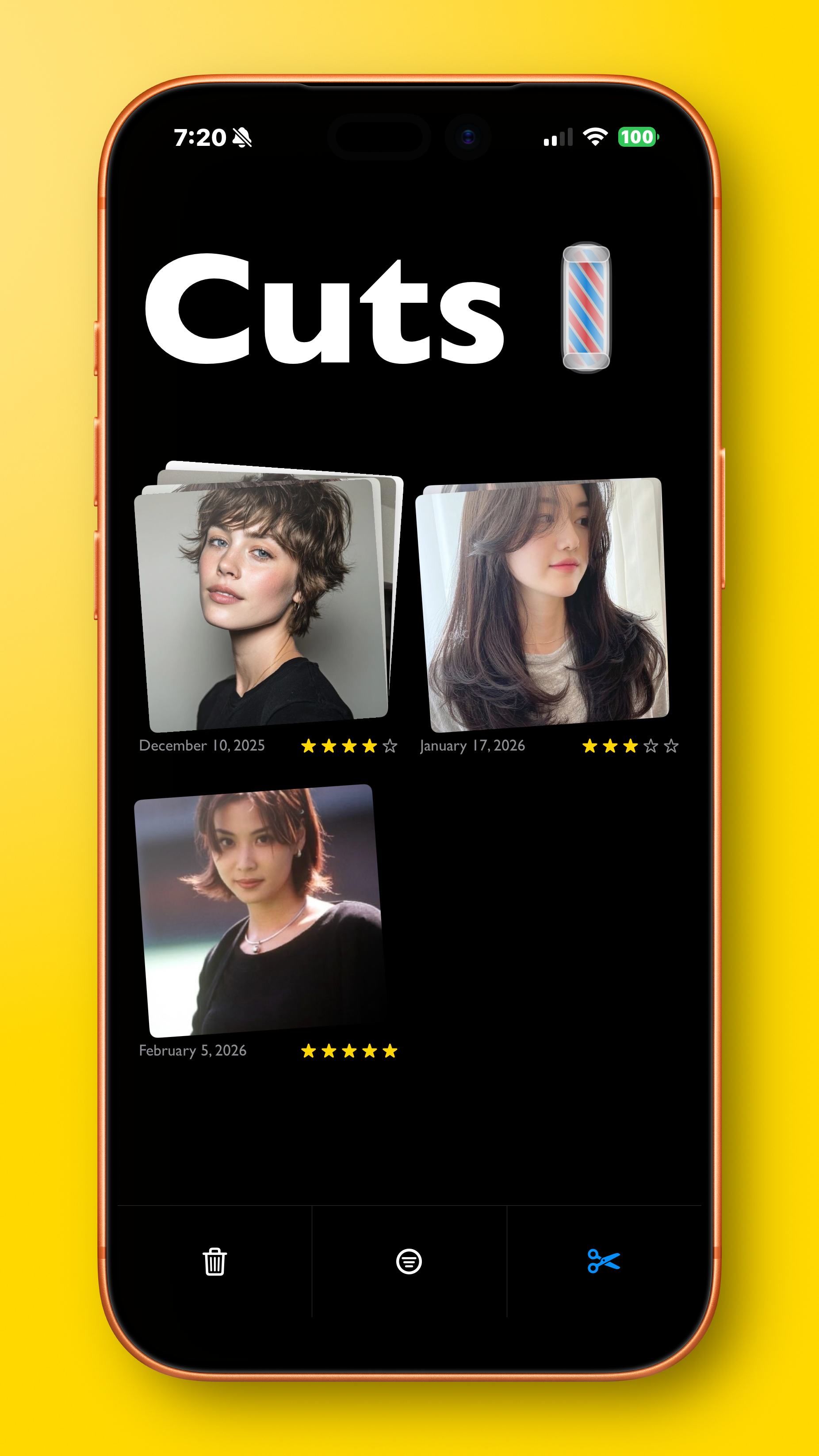
We’ve all had to do it: the only difference is how…
Getting our hair cut generally isn’t too bad, in fact it can be something we look forward to! But we either just let the stylist decide what looks good and pray for the best, or we have to juggle around references in apps not designed for them, to show to the stylist.
It’s not great, we all know. But what if we could make the experience better? What kind of UX would it have? What kind of flow would it employ? Thankfully, I did the hard work for you.
App concept
2025
Why yet another app?
Current apps people use for collaging different hairstyles kind of suck, to be blunt. A lot of apps can be used for this purpose, almost none of them suited for this purpose, but the most popular choices are the default Photos/Gallery app and Pinterest. Both apps are fairly different from each other, and as such, have different kinds of cons. Let’s list them:
Photos/Gallery
Huge collection of media taken and saved from various sources, so desired images can get lost very easily
Can inadvertently display photos/videos you do not want seen
Hard to find and search for albums, especially if you have a lot of them
Pinterest
Tons of unrelated pins/saves can clutter up collection
Unwanted ads and videos play constantly
Chance of deletion of images from Pinterest
Hard to swipe through images in collection
Internet access required

User research
Interviewing some friends who regularly changed their hairstyles: these were some of the most common problems they faced:
People don’t like having to go through hoops to see the style (also embarrassing when you’re fumbling with your phone in front of the stylist)
They want a way to save different perspectives of a style in one view
A way to hide everything but the reference from the stylist
Functionality to tell the stylist how they want the style to be changed for their hair (bangs, length, etc.)
Personal research
Although I have obviously gotten my hair cut previously, I decided to get it cut again recently to see what the process was precisely, and if I had any pain points:
Before going to the salon, I Googled and saved some random pictures of something I’d like my hair to look like, as a rough reference
A few days had passed, and once I got there, I had trouble finding the pictures again as I save tons of images and memes everyday
Once I did find it, the stylist scrolled through them, but had an unrelated image on the sides that they tapped through and saw
After I had gotten my hair done, I took selfies, but realized I had no easy way to refer back to them again as it would eventually be swept aside by thousands of other images I would save in the future
Overview
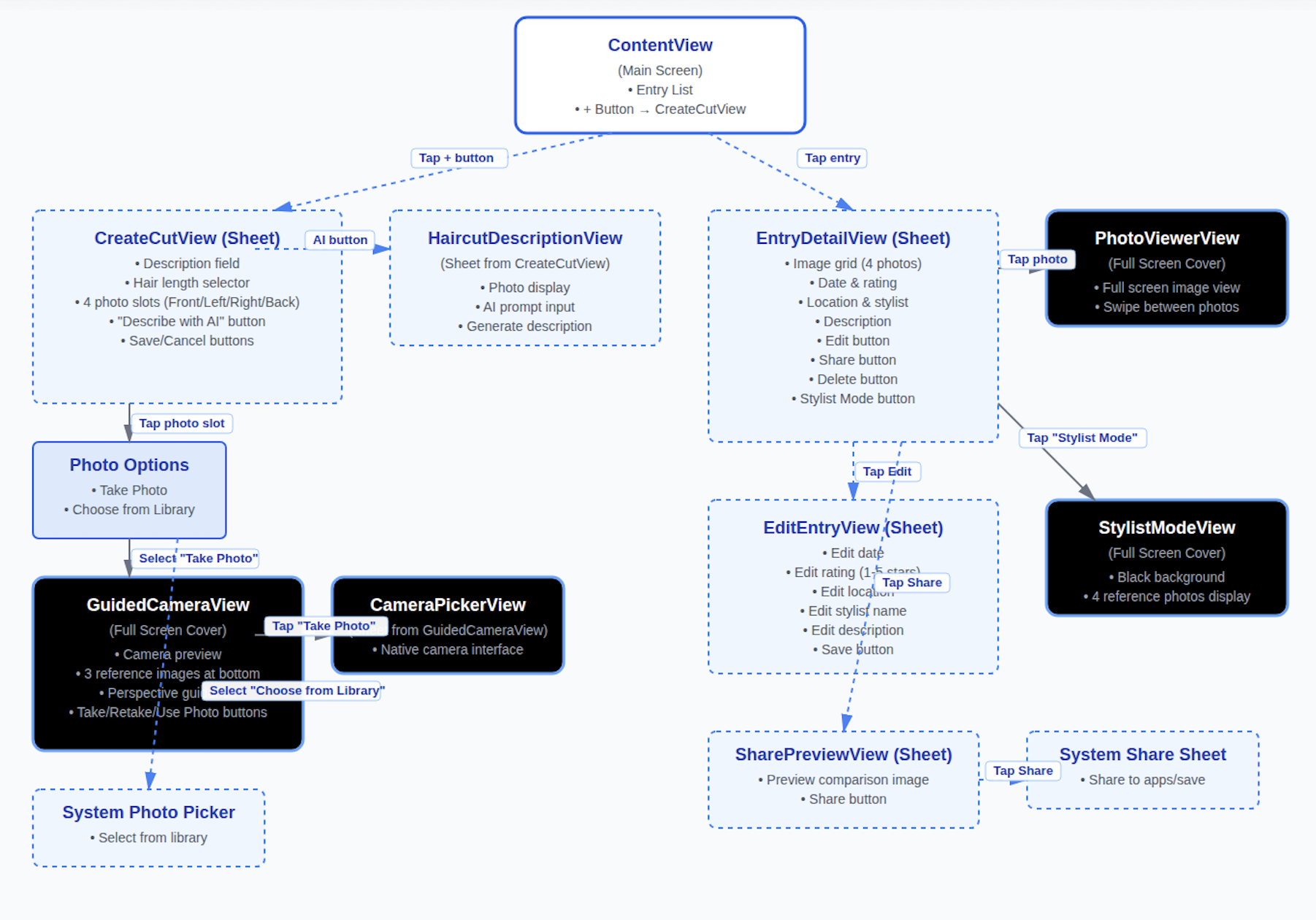
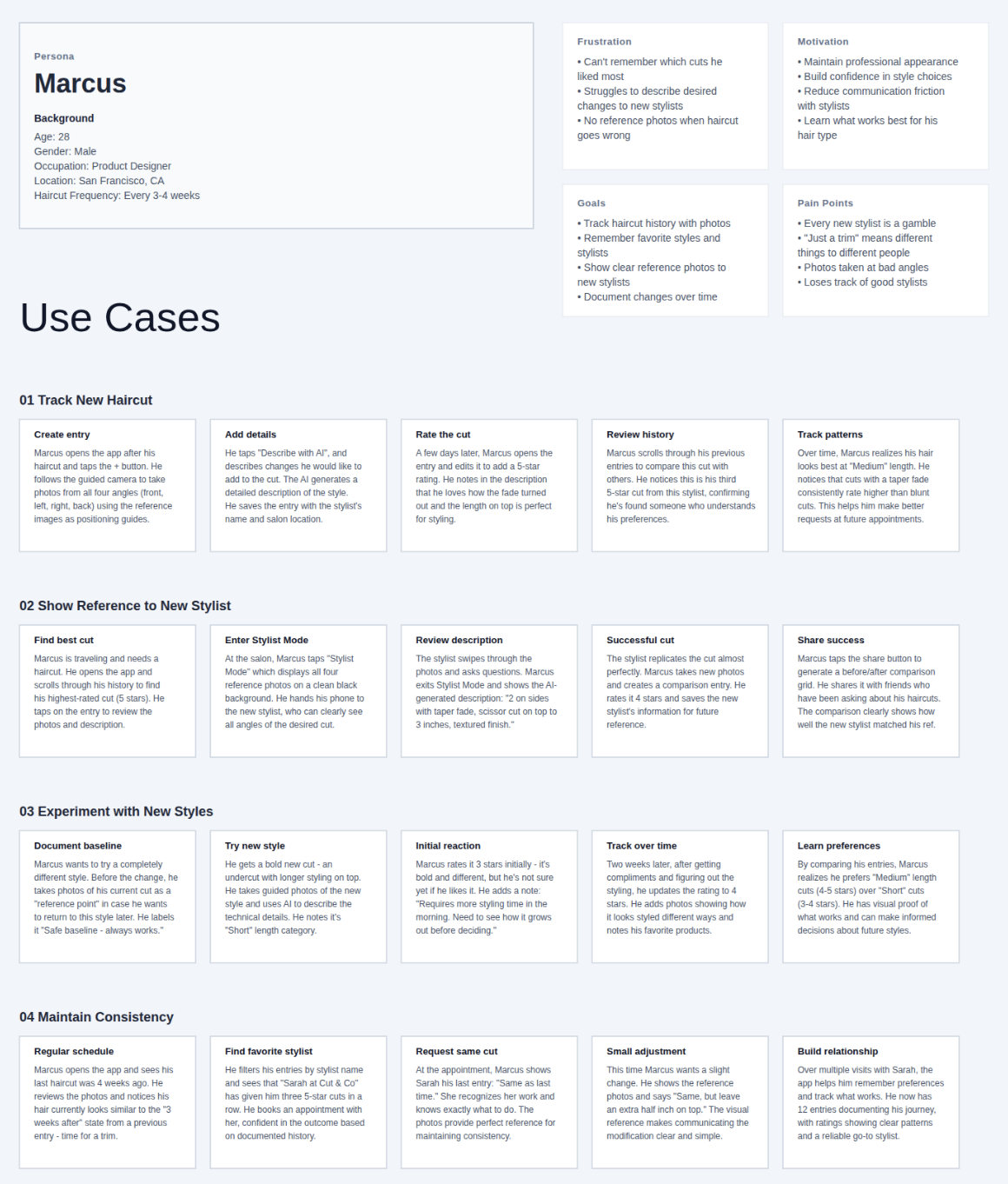
I started by drafting out every view in the app, and a person for a user who would realistically use this app.
Navigation
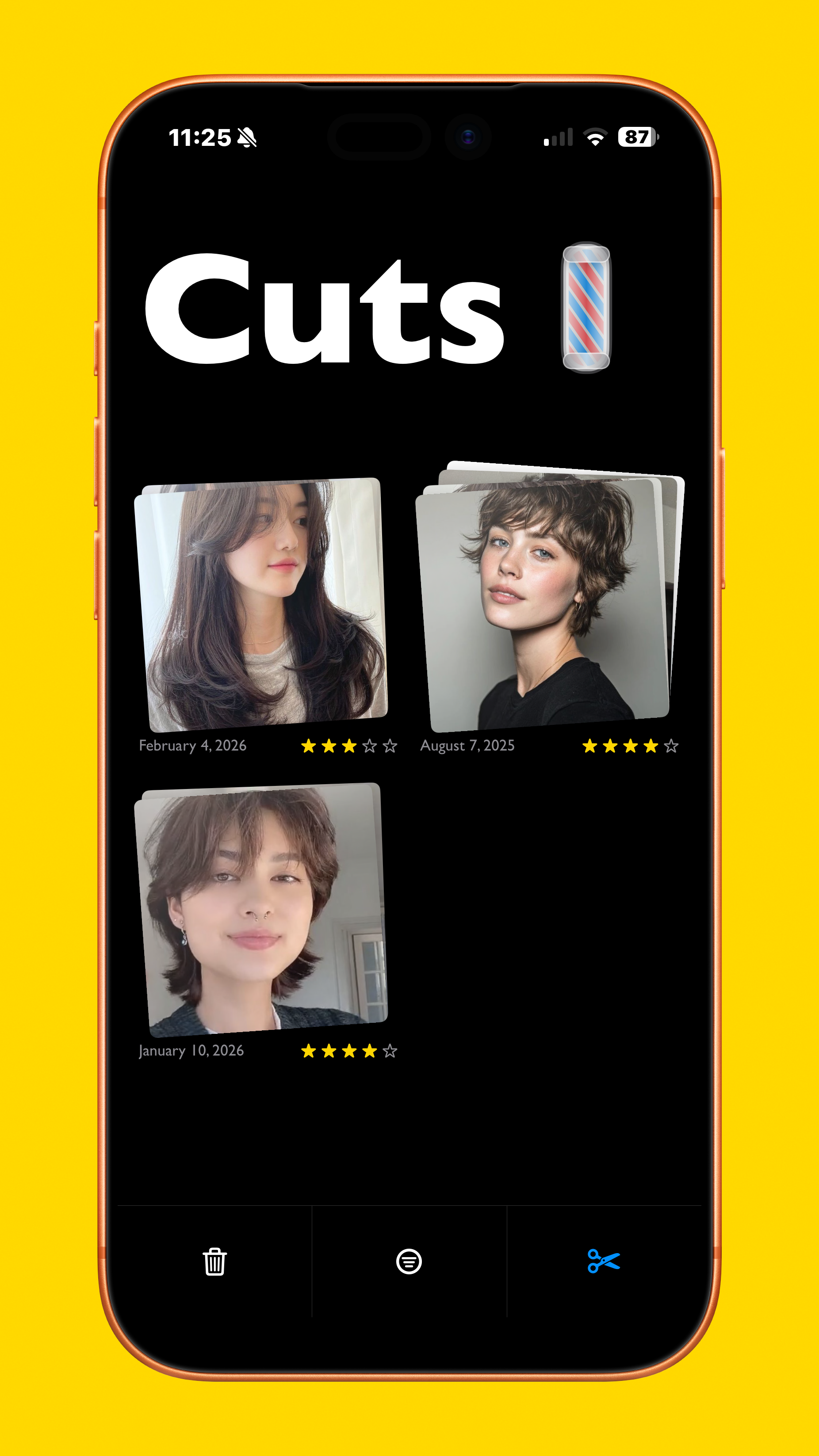
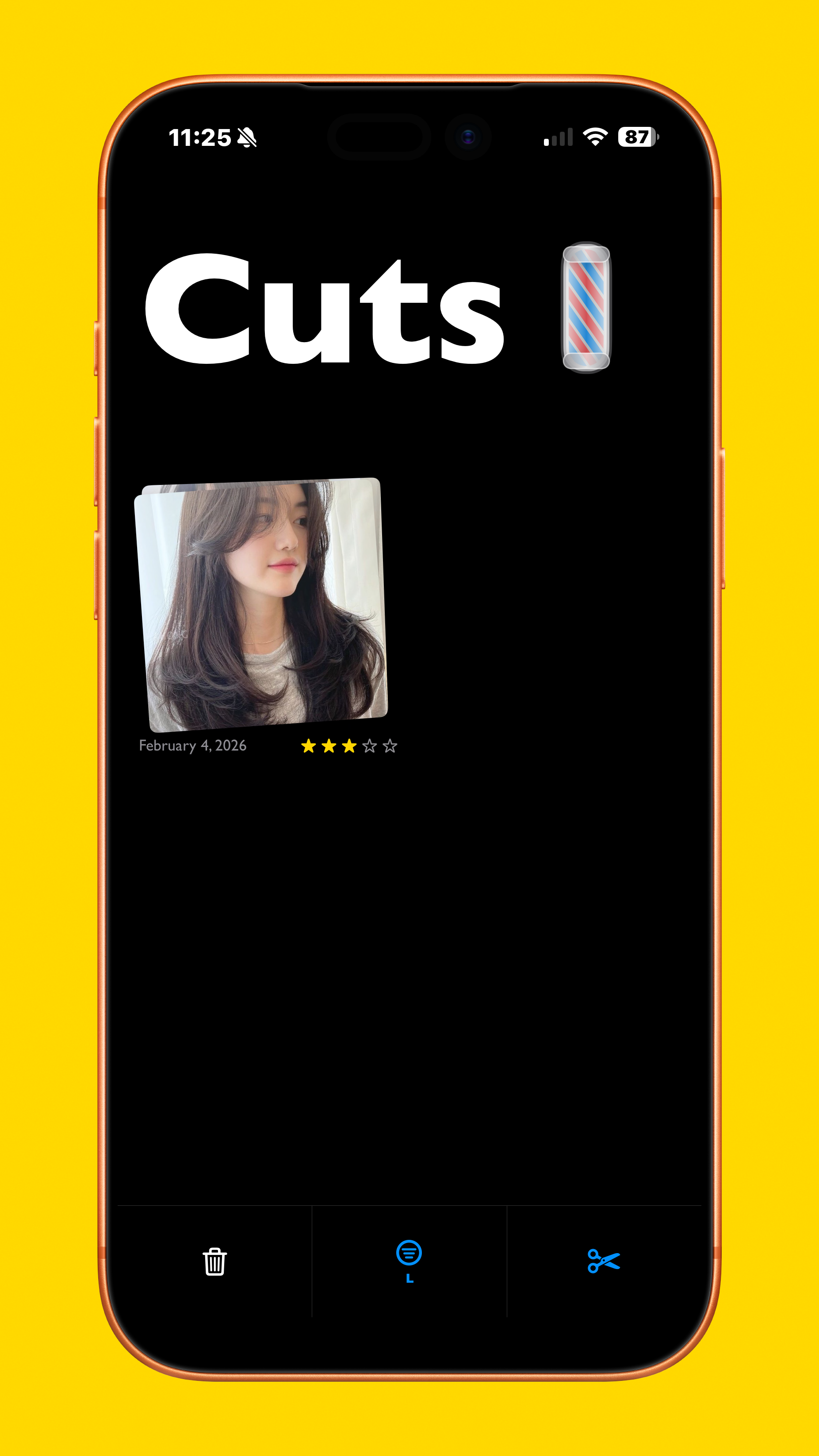
Navigation of the app is fairly simple: the first thing users see is a home screen with three buttons: one to add a style, delete a style, and filter a style by length. When they create a new entry, it allows them to select different views of their desired style, categorize its length, and describe any changes they’d like.
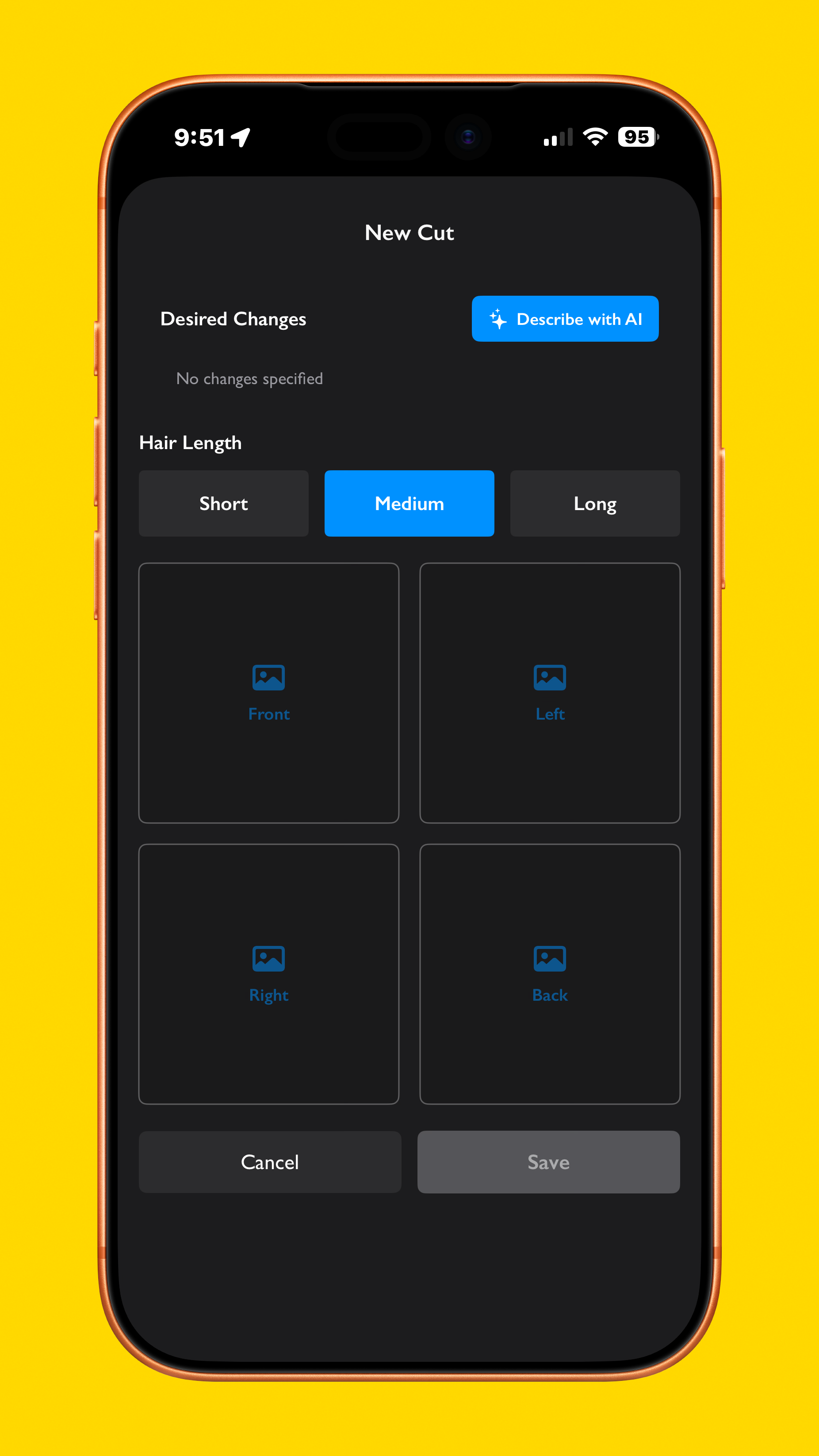
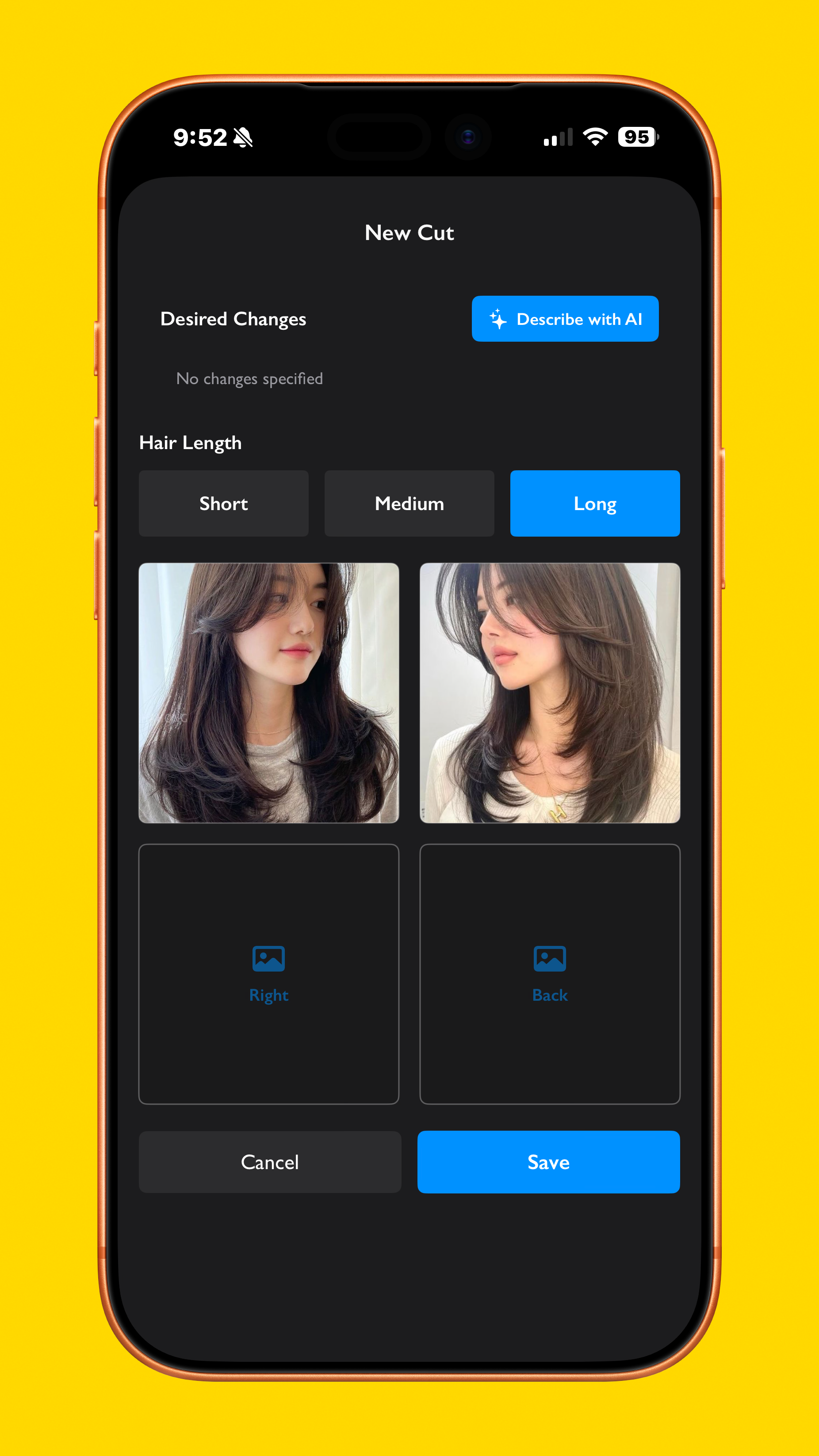
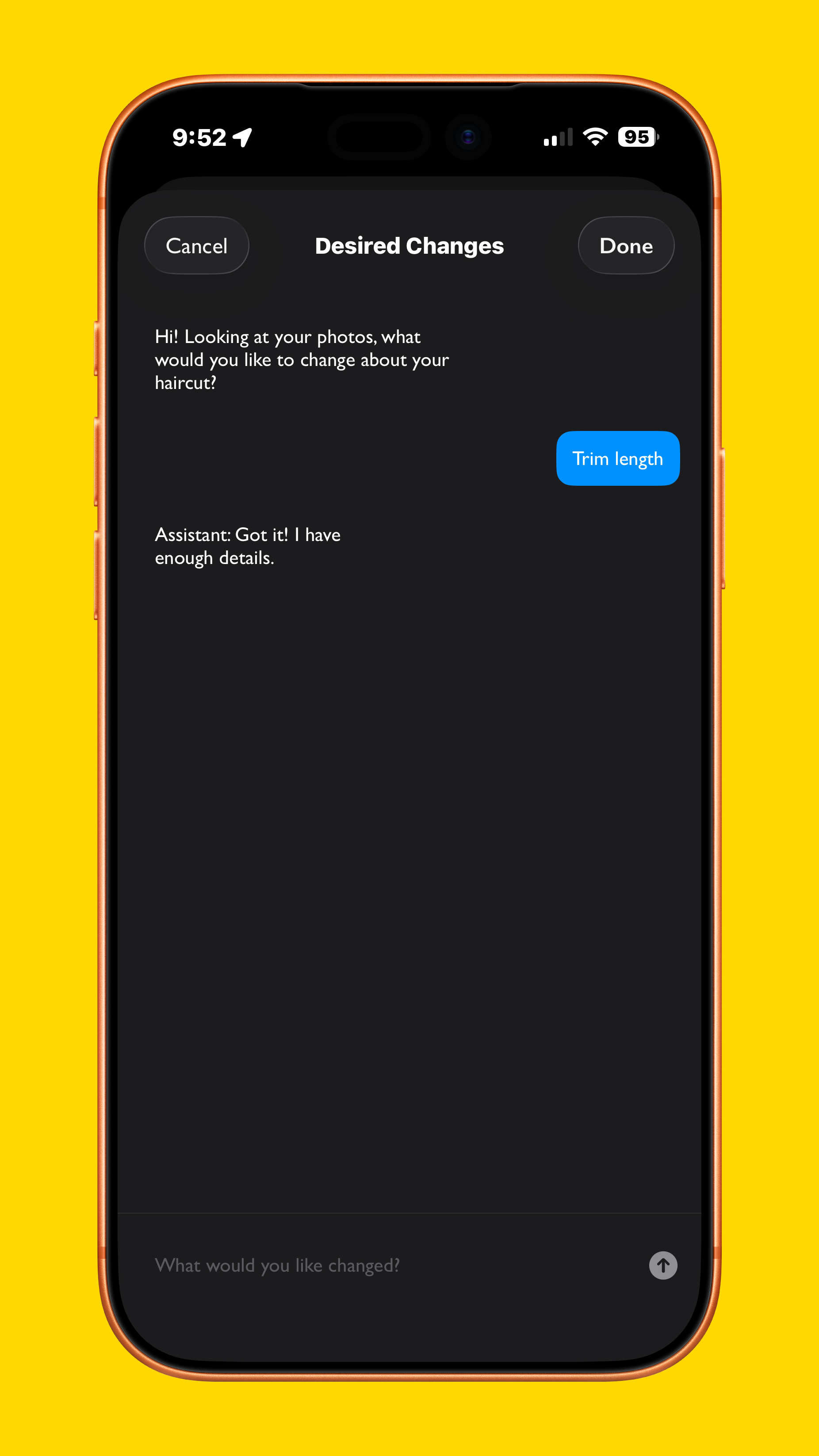
Desired changes and photo composer
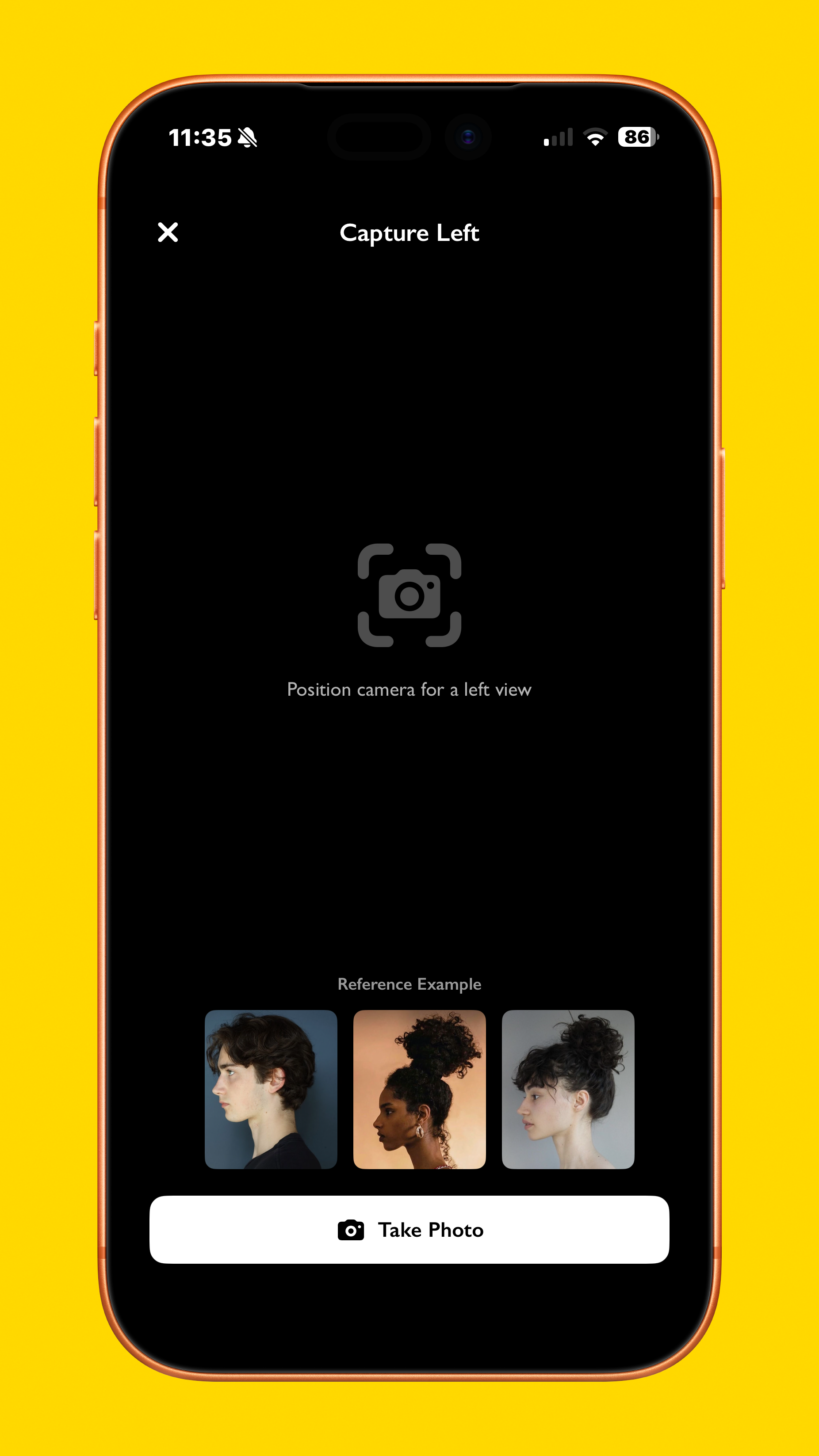
Sometimes even when we like a certain hairstyle, we might want some changes to make it better suit us and our faces, so the new cut screen lets you input any changes you’d like, and using Apple’s Foundation Models framework, it even asks you for what changes you’d like, then summarizes it. Additionally, if you are taking a photo of the hairstyle instead of importing a photo, the app gives you a reference for what they should look like.
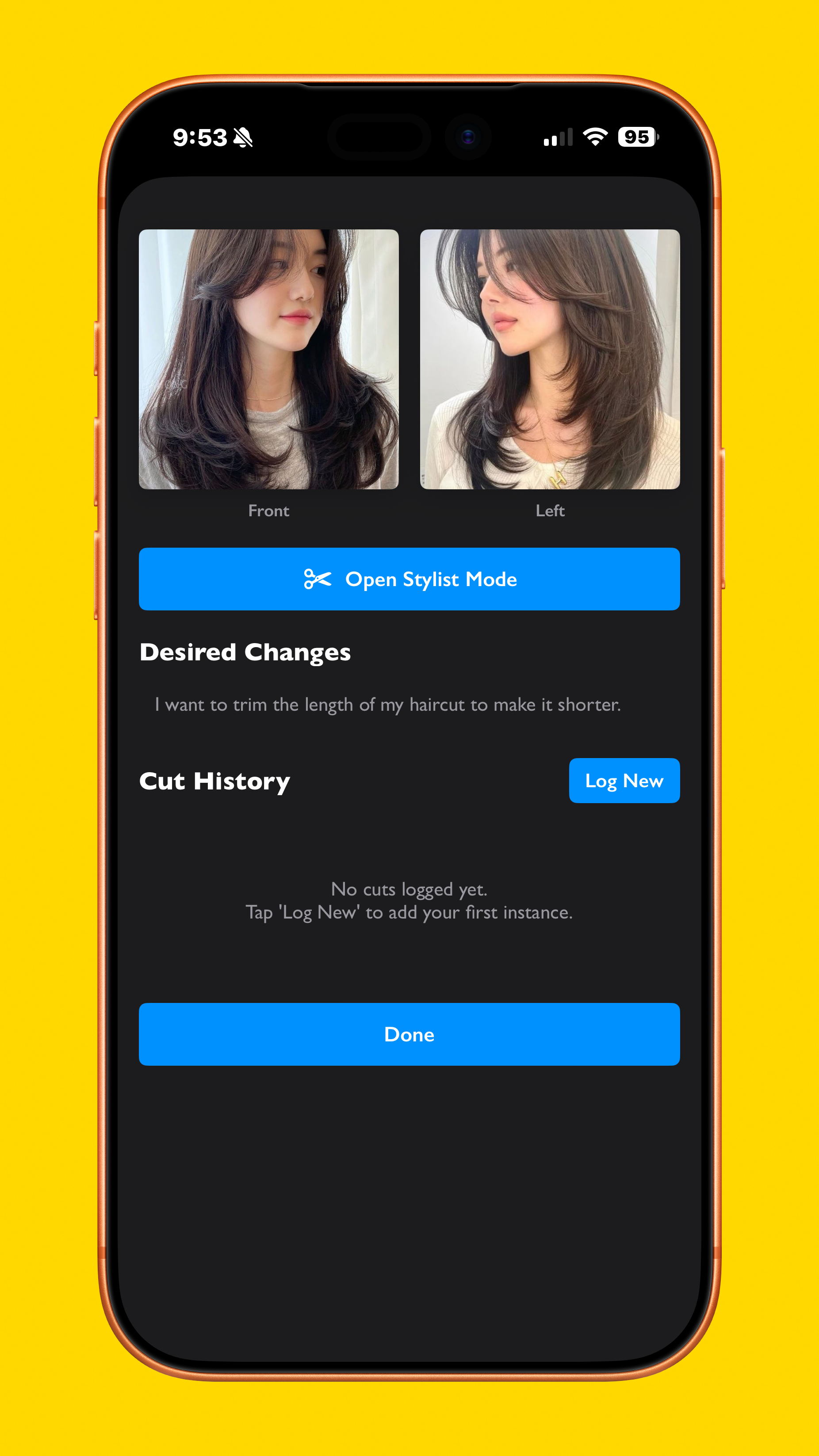
Cut screen
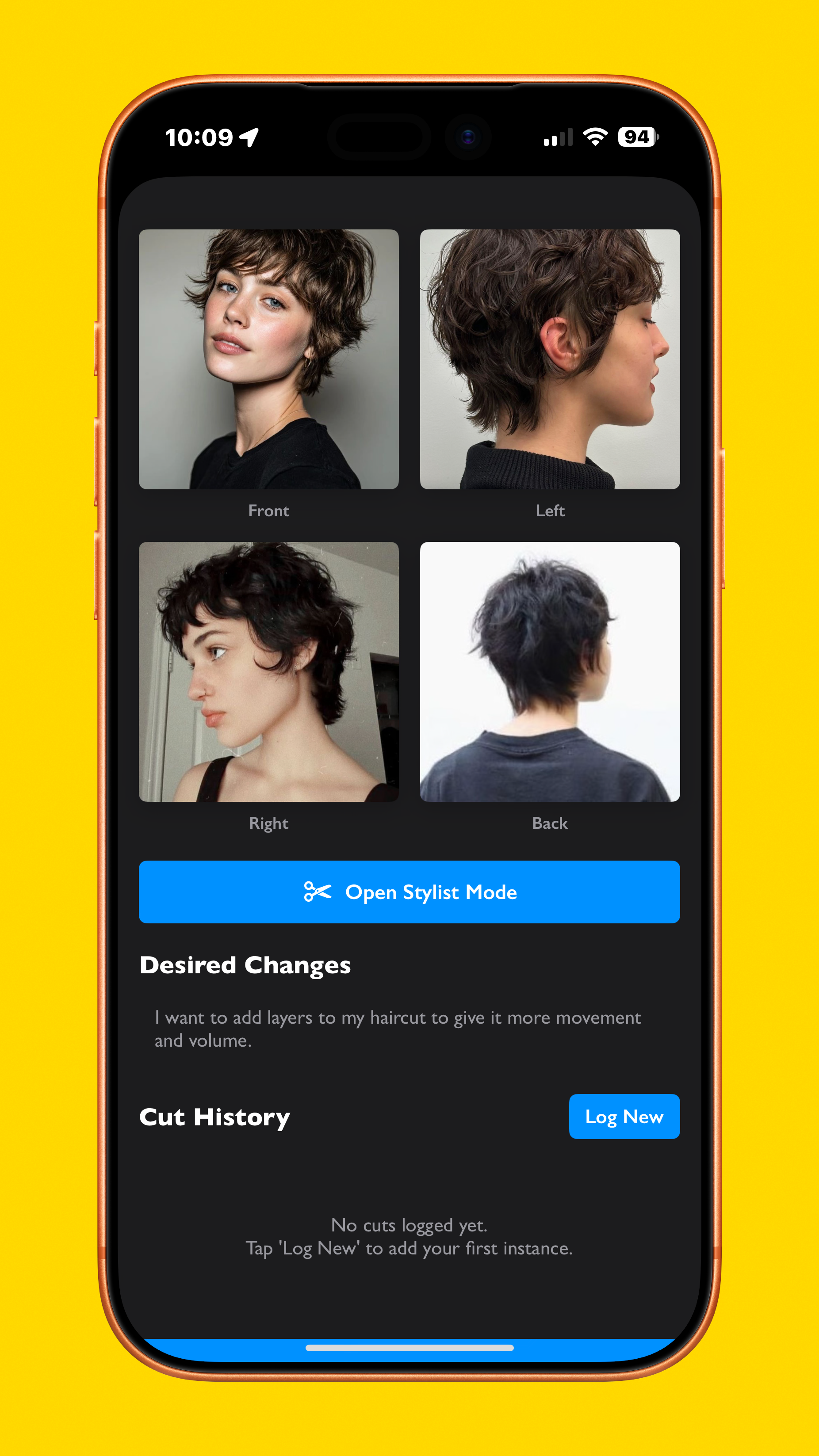
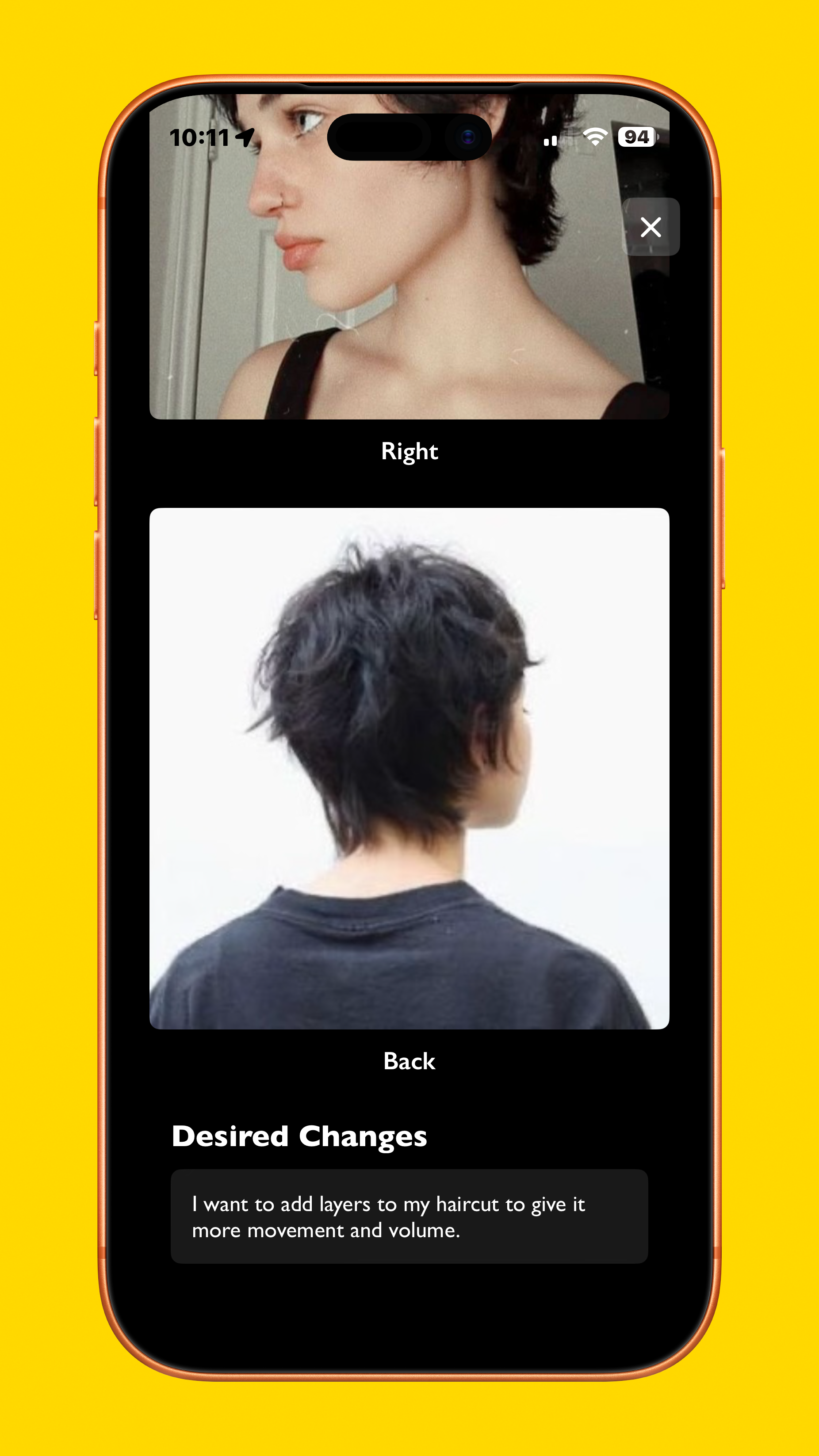
After a new cut is created, it brings users to the cut detail screen, showing a grid of the selected photos, desired changes, cut history, and a way to open Stylist Mode. That mode shows only what is necessary for the stylist, allowing them to scroll through the references, and see any desired changes requested, if any.

Cut log
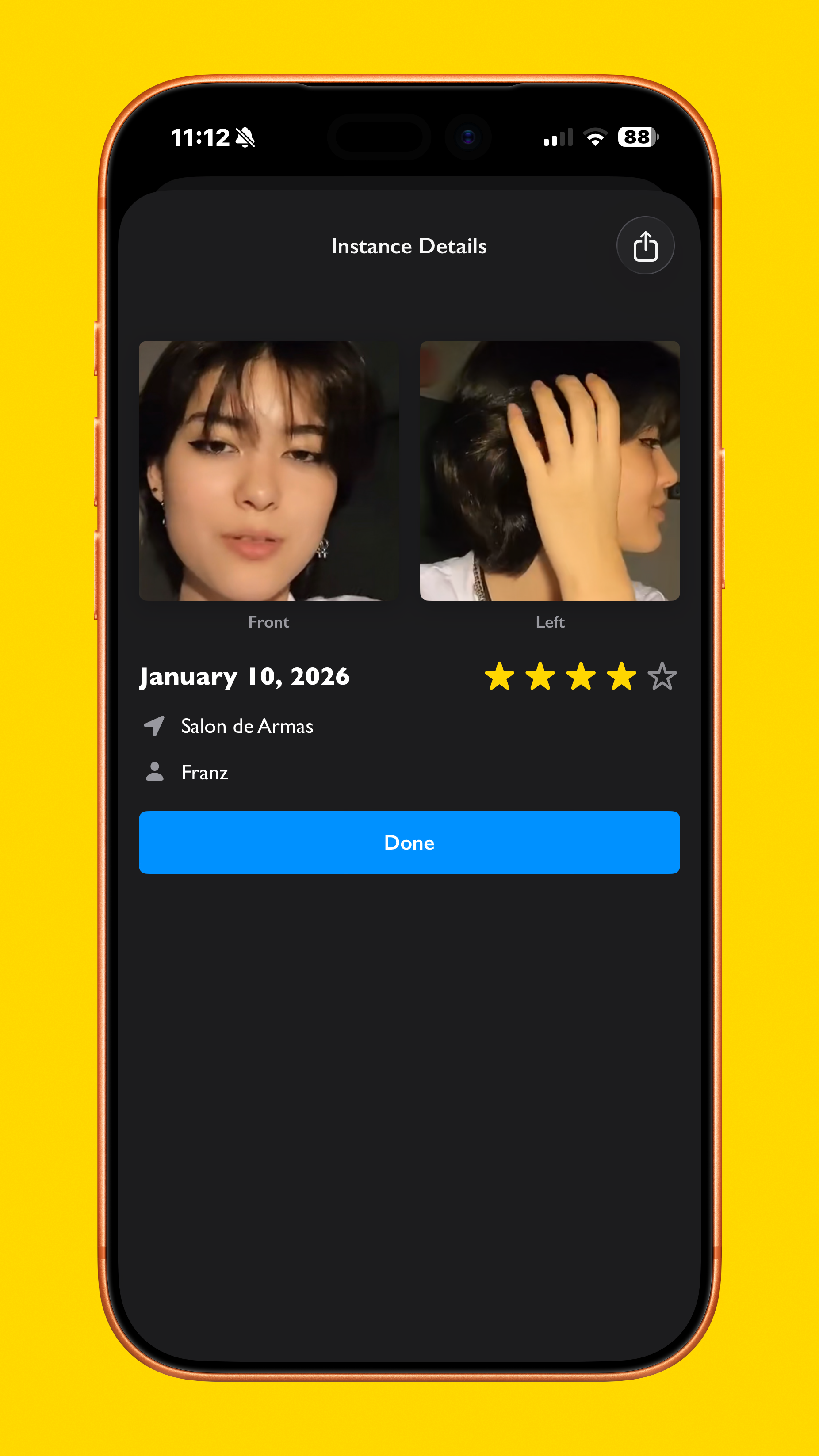
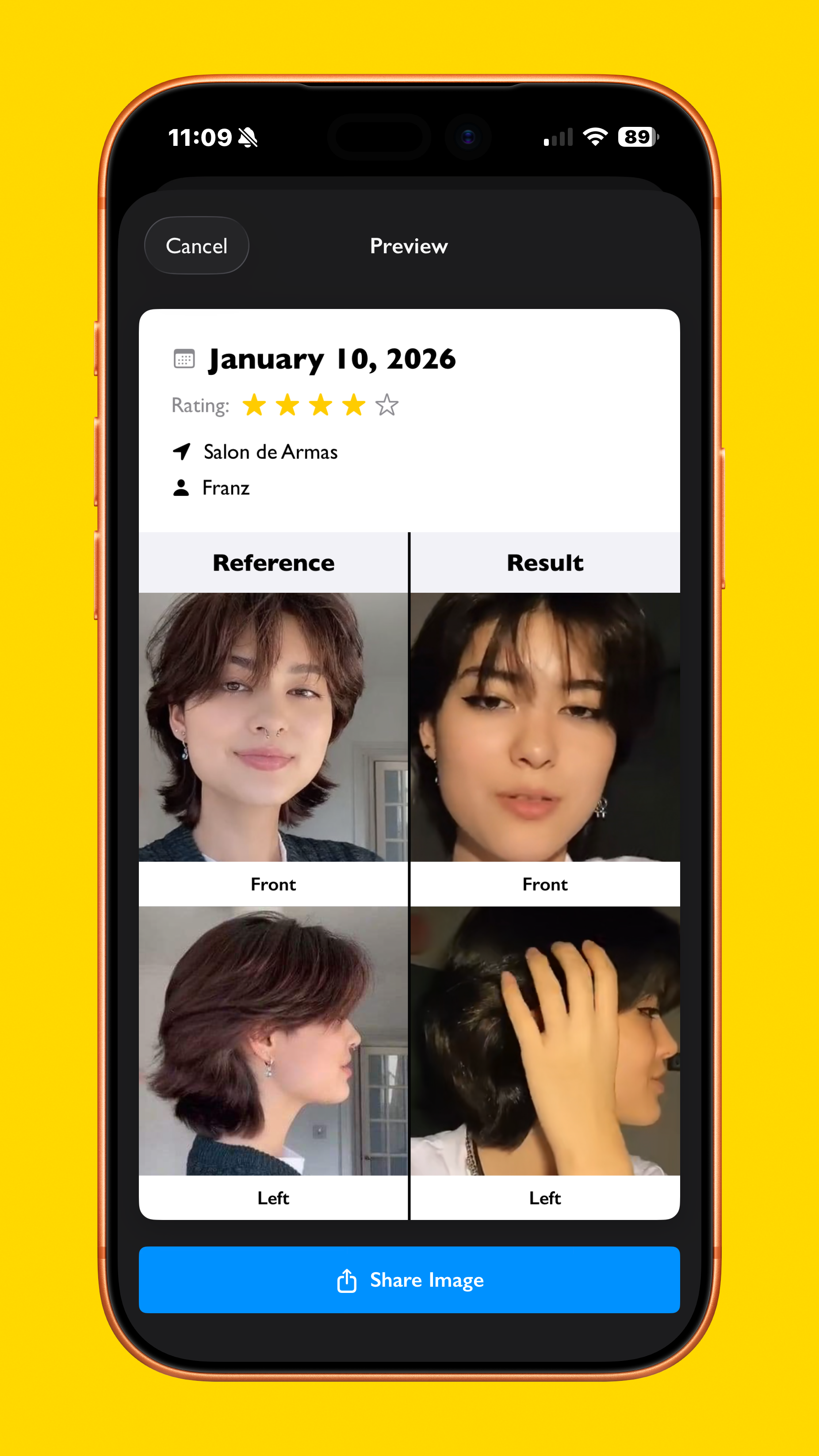
After getting a cut, you can log it with the date, name of the salon and stylist, personal rating, and of course, your own pictures. It shows up in a screen that easily fits all info in one screen, and multiple logs can be created. For sharing to friends and social media, a side-by-side view lets you compare the reference to the final cut and show off your new look.

Home screen
Once you are done with everything, you can go back to the starting screen, and see all of your saved cuts for quick reference in case you want to repeat a cut, and to check out your previous logs. A filter button below also lets you filter by length to find the right entry.
All in all, the Cuts app solves many issues users/stakeholders were facing with when going to get their hair cut by using different applications, with testers reporting significantly faster handoff of the desired style to their stylist, and appreciated the logging function in particular.
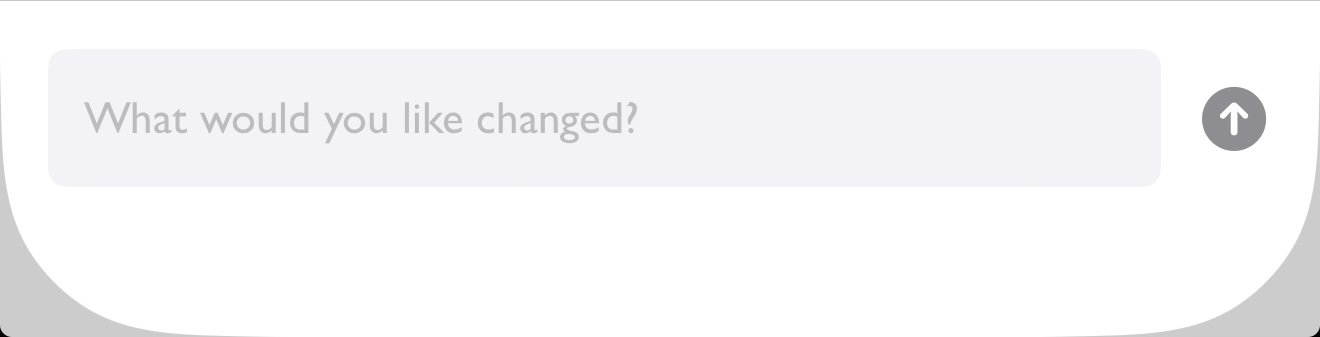

Design style of Cuts, featuring bold and high-contrast buttons and visual clarity.

