Tesla Mobile app
redesign
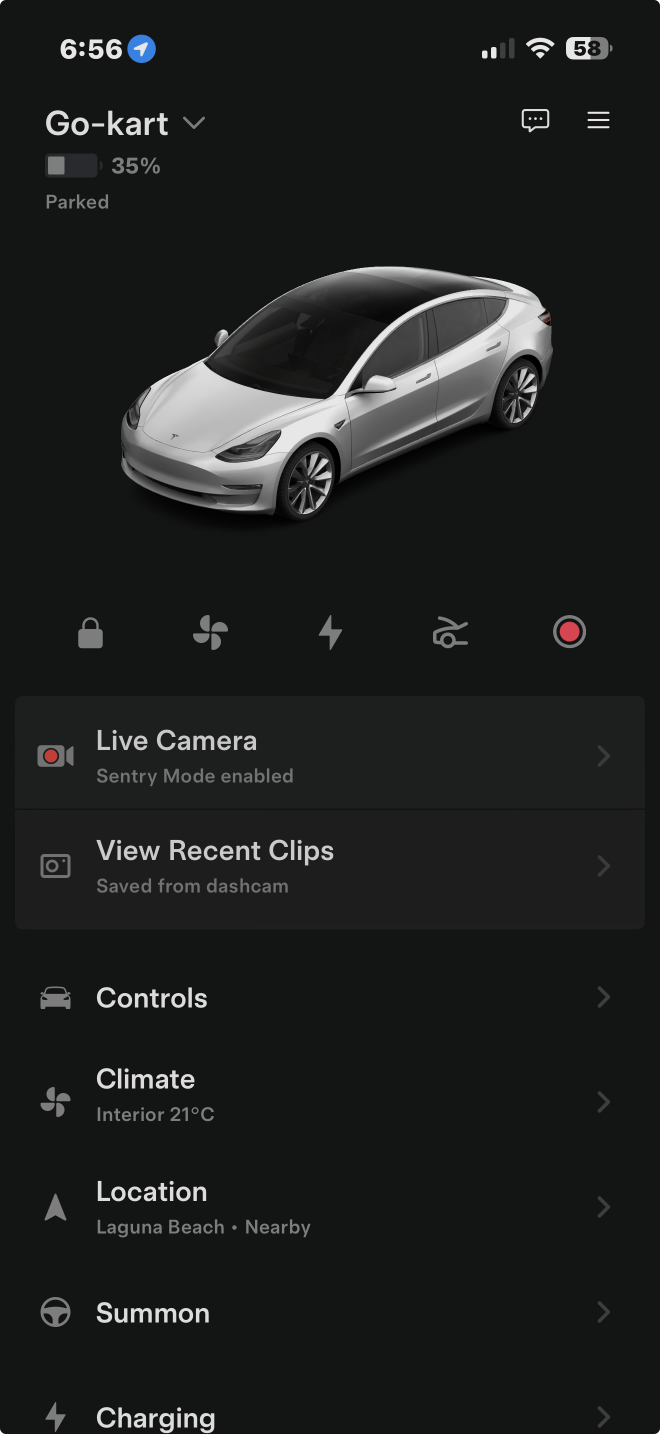
A redesign of the Tesla mobile app for smartphones
Tesla has always had one of the world’s best and class-leading smart device integration with their vehicles, and their app as it stands today is a prime example of that. However, there are just a few things that could be improved on the UX side of things that I’d like to point out.
App redesign
2026
And here it is…?
Sure, it might not look too different, but hold on, I can assure you that some things have changed!
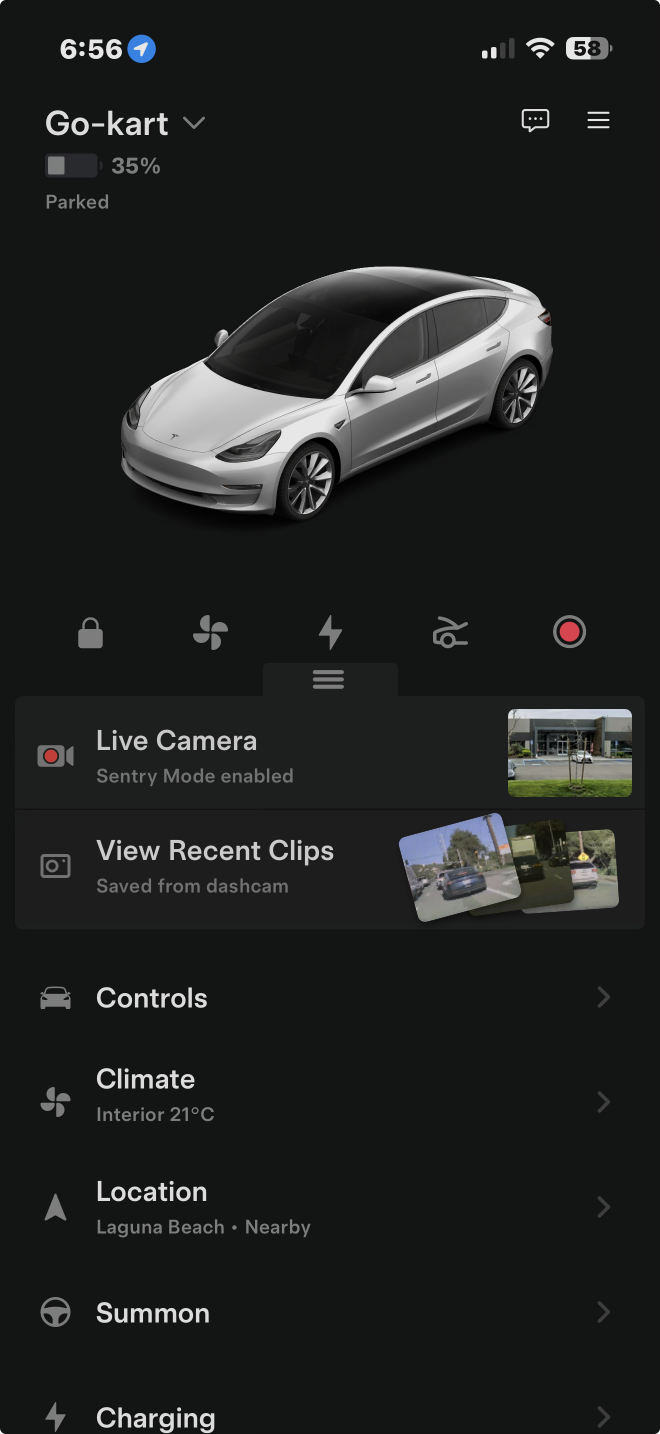
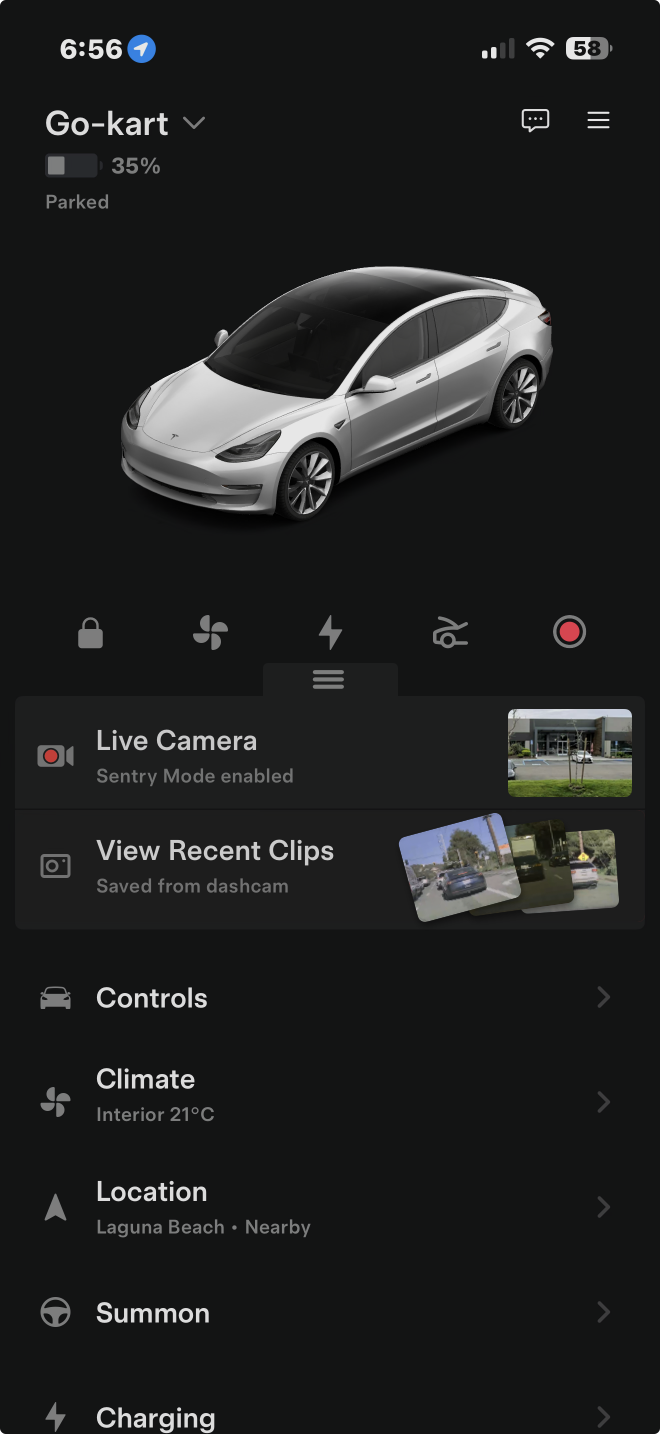
From first glance, you might have noticed that there’s a new grabber on top of the Live Camera button. Let’s see what that does.
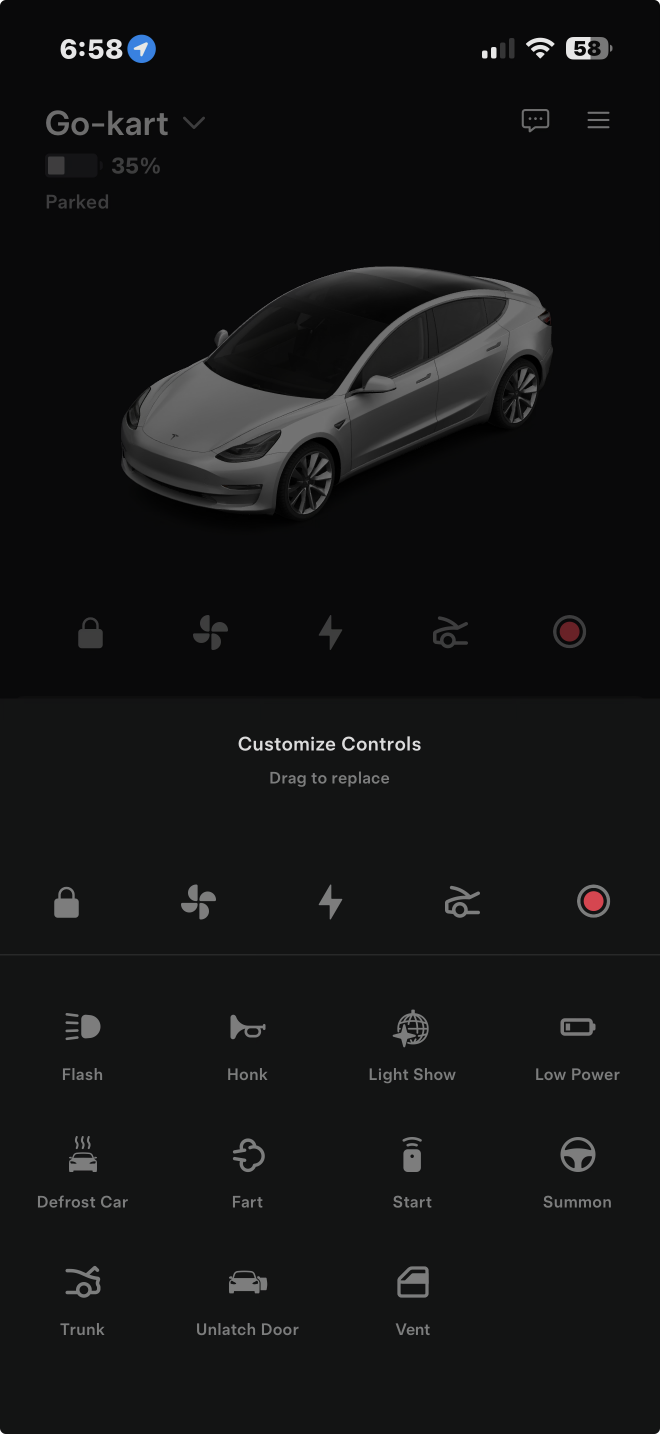
Editing
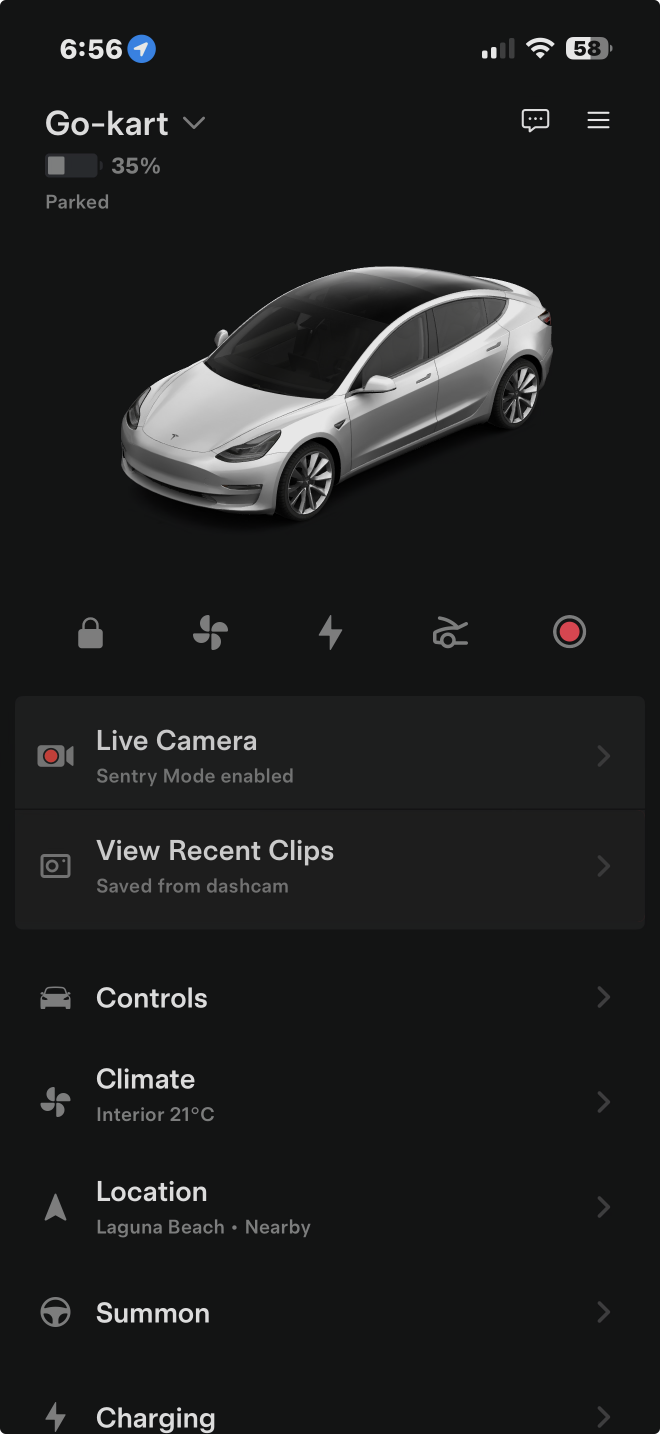
Before
The current app has a “shelf” at the top for quick access to commonly-used actions. However, it’s not immediately obvious that they are editable. Just search Reddit for the countless people who were shocked at it being customizable with a long-tap (I’m one of those people). So, I have added a small grabber that invites the user to swipe on it, opening an editing mode that not only allows the user to change the shelf, but the order of the rest of the app’s sections.
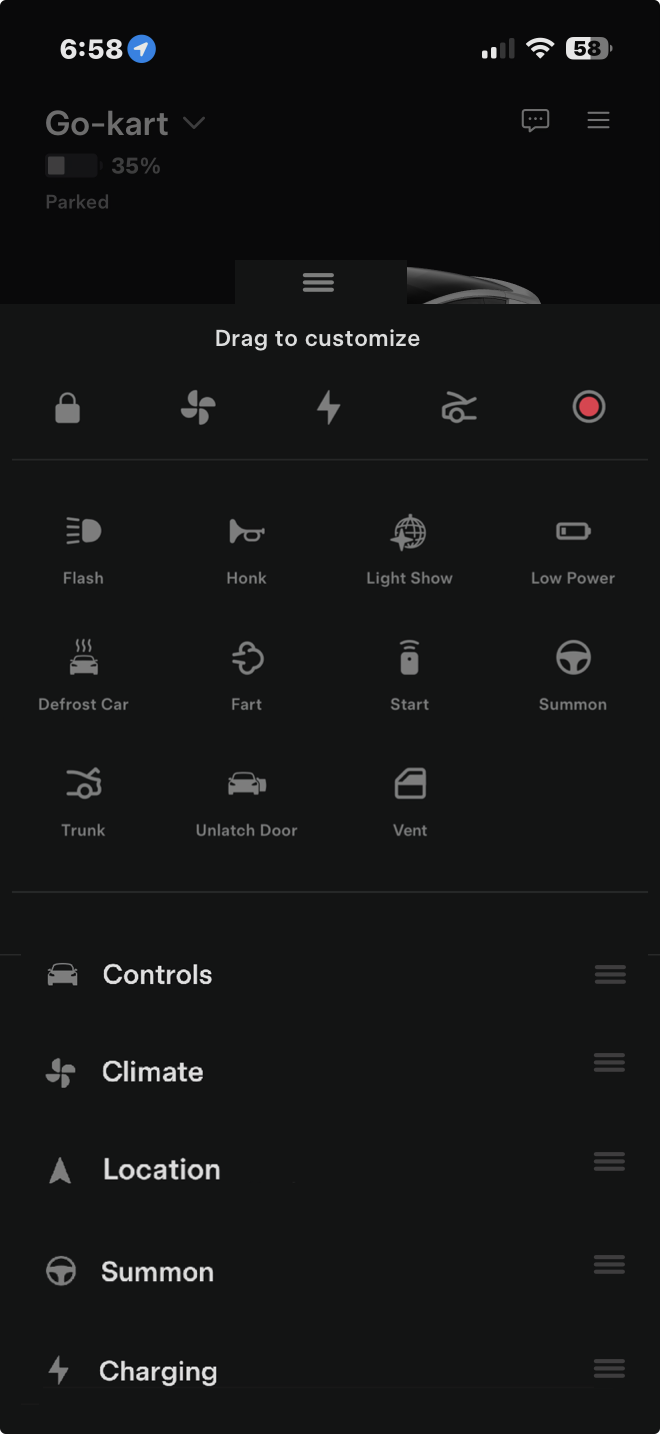
After
Snapshot of cameras
Sometimes being able to take a quick peek at what’s going on around you car while Sentry Mode is enable is convenient, so having a small window into what your Tesla sees on the main menu is just what we need, so it’s now on the Live Camera button.
Recent dashcam captures are also shown in the View Recent Clips button, giving you an idea of what was captured without tapping.
Before
Proactive notifications
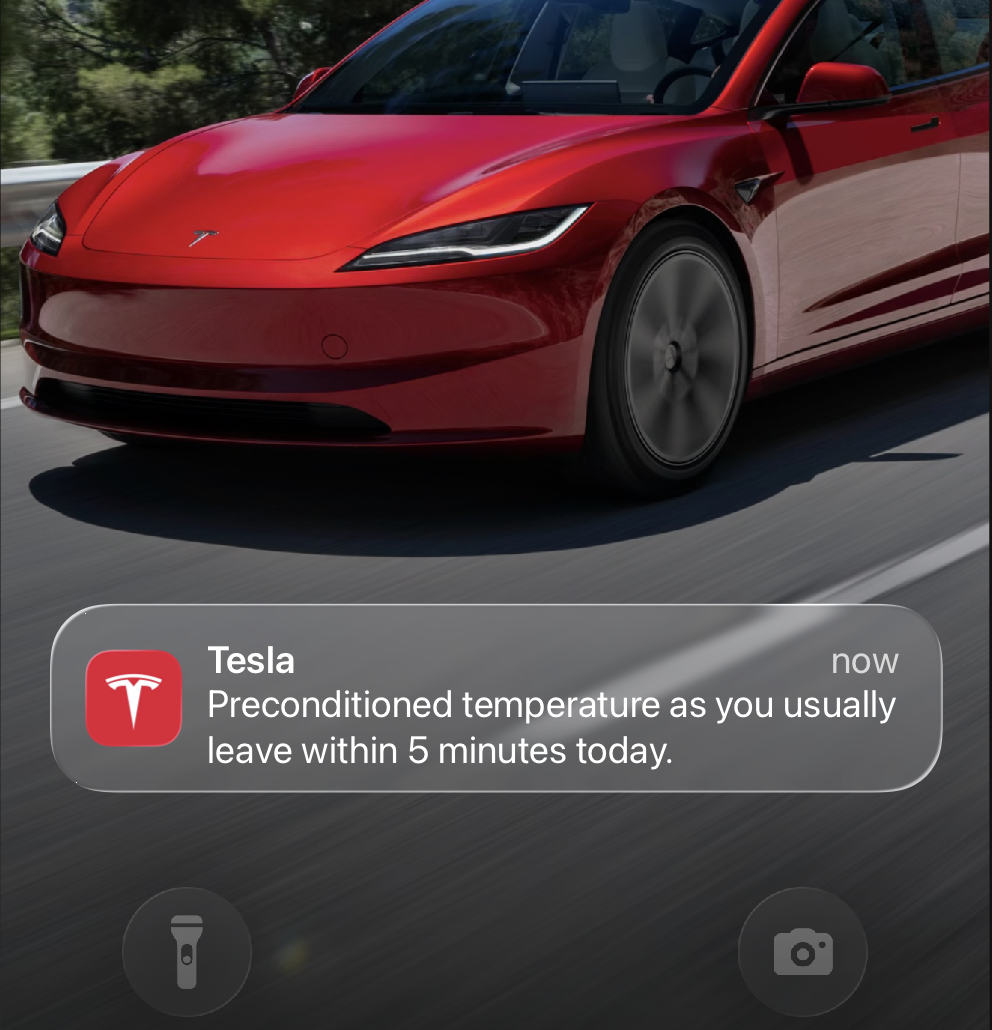
As a wise man once said, the “best input is no input”, and Teslas are not exempt from that wisdom. One of the biggest pet peeves of mine is when I want to drive my car, but instead have to wait for minutes to defrost my windows before driving safely, while sitting in the cold while the car warms up, something that can be horrible when you have somewhere to be. So, the app can now recognize common times a driver uses their car, and offer to defrost and precondition the cabin temperature automatically.

After